- TopoDOT Settings
- The following settings must be set in the options for the Feature Code
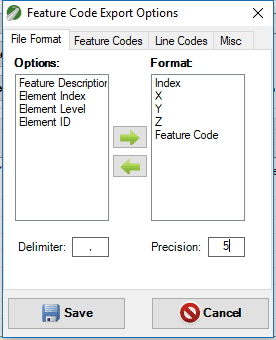
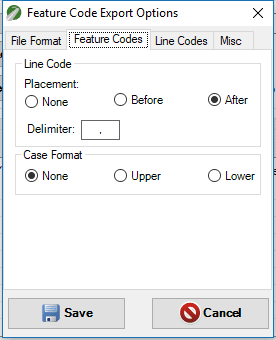
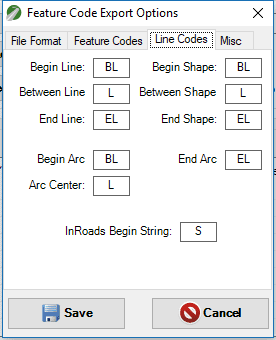
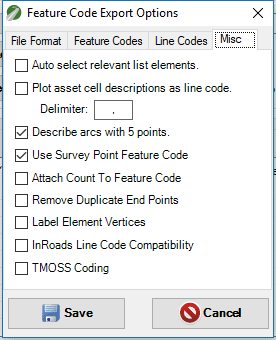
- TopoDOT Export
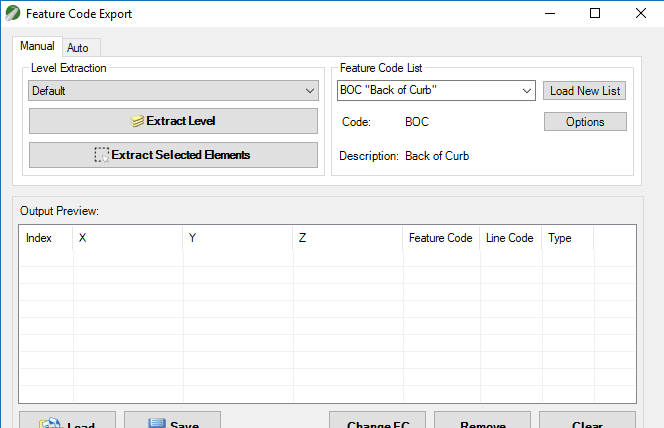
- Use the Feature Code Export tool to export the desired element(s). When ‘Saving’ the exported file needs to be a *.csv file (Comma Delimited)
- Convert *.csv (Comma Delimited) to *.txt
- Simply rename the *.csv file to *.txt extension or use Excel to ‘Save As’.
- Caice Import Settings
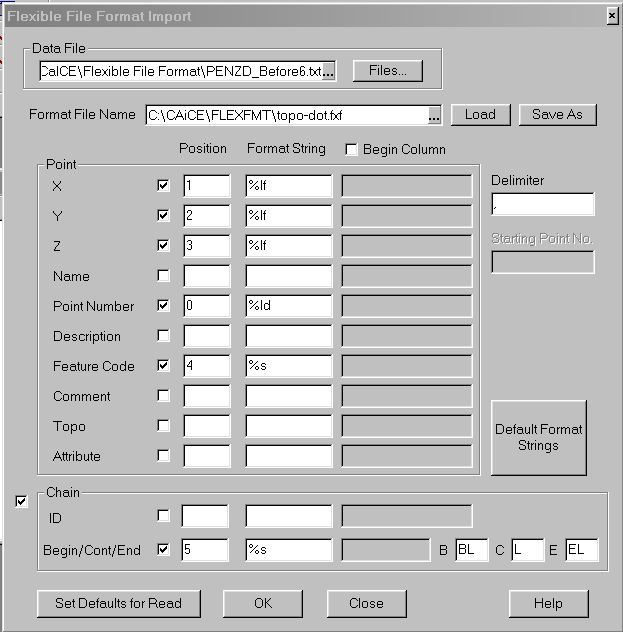
- In Caice, you will need to go to the “File > Flexible File Format > Read” menu. Below are the values that must be set.


.png)