We are proud to announce the release of TopoDOT x64 Version 2020.1 for MicroStation CONNECT. TopoDOT for MicroStation V8i has not changed. Please download and install the latest release to stay current with our newest developments.
To automatically download the latest update, use the “Check for Updates” option within the TopoDOT menu. Alternatively you may find the installation link in our resource downloads on the website.
TopoDOT 64-Bit Version 2020.1 for Microstation Connect or similar
We are constantly striving to improve your TopoDOT experience. Many of you will find your comments, suggestions, and ideas implemented in some way. TopoDOT represents the collective experience, knowledge, and innovation of all our users. You have in us a place where your comments are heard, your ideas respected, and your innovations implemented whenever possible.
What’s New?
Thereare many new features and tool enhancements in this release. We wanted tohighlight a few that we know you’d be excited about.
Data Classification
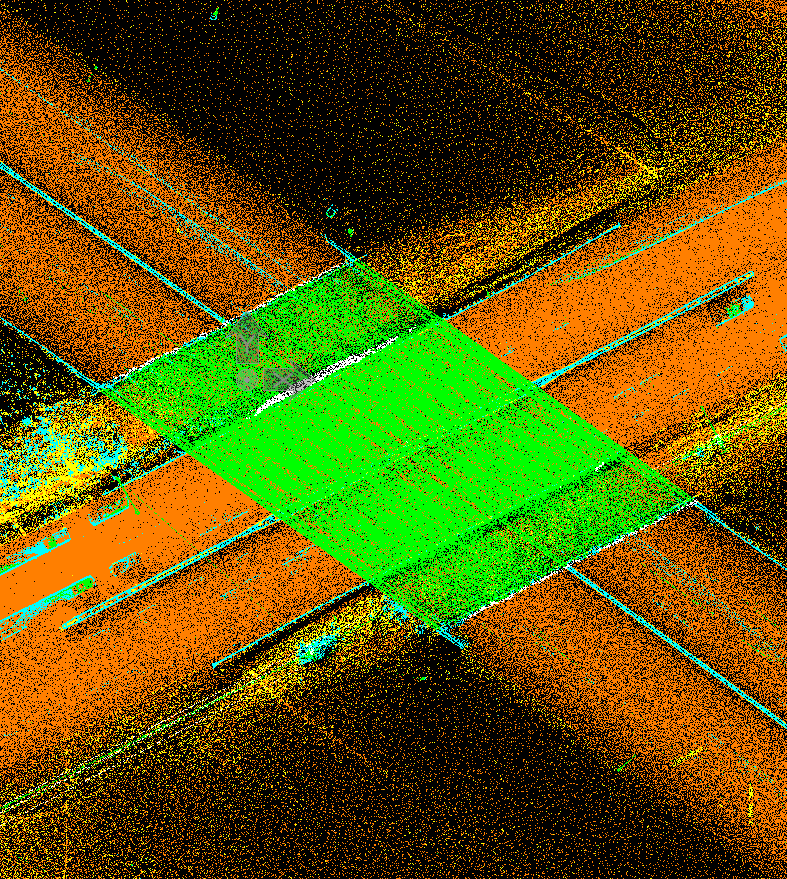
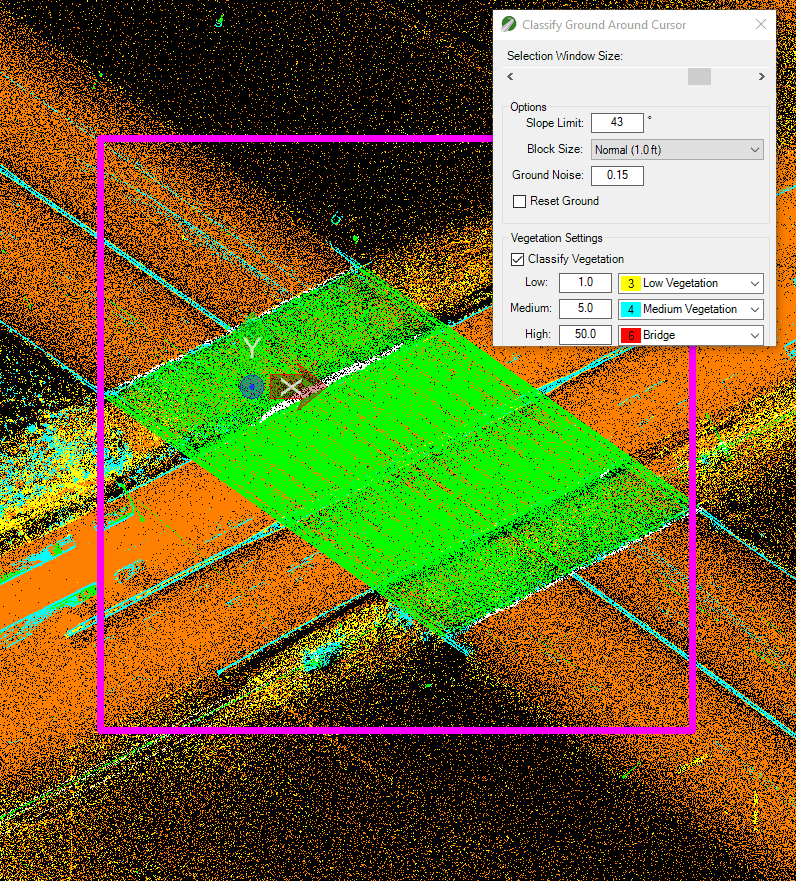
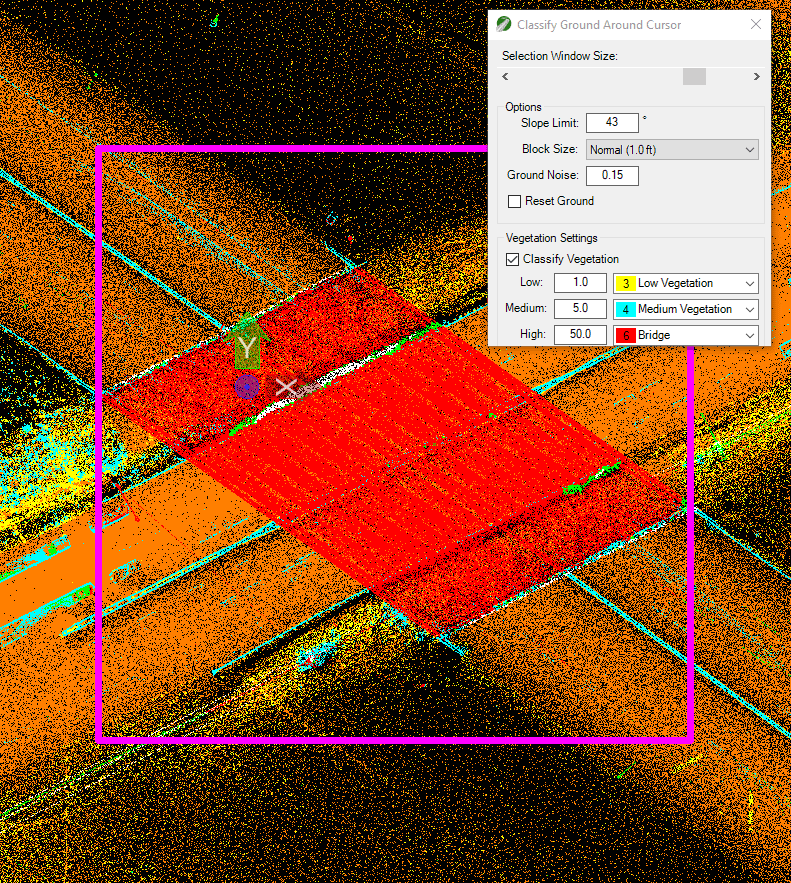
Anew tool in this release is the “Classify Ground Around Cursor” tool. Thisclassification tool will classify ground and vegetation data on a selectedarea. One use of this tool is to test or fine tune ground classificationsettings before deploying it on the entire dataset. Another purpose of thistool is to edit the “Ground” classification tool results by changing theclassification settings and running it only on areas of interest. Here are acouple of scenarios for this example:
- Change the slope limit to improve the ground classification around steep slopes.
- Increase the block size on a sparse area.
- Change the medium/high vegetation class to classify a bridge/building/noise area separately from the vegetation classes.
Remember to save your new classified data by going to the Export tab and using either “Points to Original Files” tool (mapped files) or “New Point Cloud File” tool.
Data Extraction
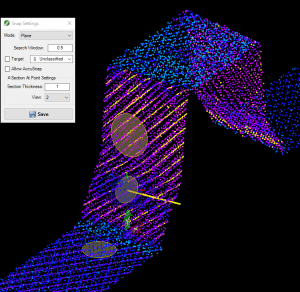
New data extraction tools include the Plane point cloud snapping feature. It will calculate the snap location based on the best fit plane around the cursor. This snapping function will improve placement of a point around vertical or slanted surfaces. This option is available on the right-click-quick-menu as well as on the Snap Settings menu.
Moreover, the new “Fit Multiple Cylinders to Data” tool fits cylindrical elements within the selected area from any perspective and in any direction. It will need about 30% of the cylinder data to identify the radius and create a cylinder. It will also populate a list of all pipes found for you to analyze the results by looking at a cross section at a time. You’ll find this tool in the TopoDOT Extract tab under the Piping toolbox. Check this quick demonstration to see for yourself how quick and easy this tool is.
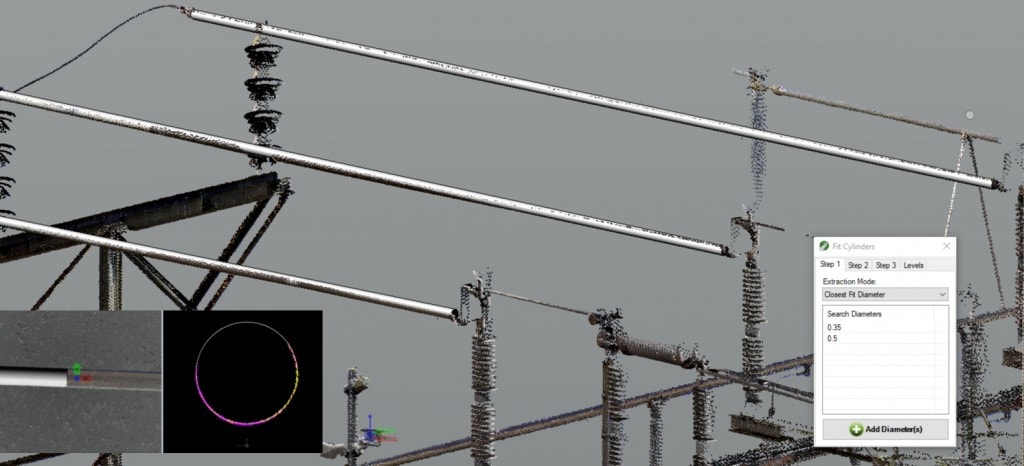
Another newtool in this release is the “Wire Extraction by Direction” tool. You will beable to extract a wire string for as long as there is visible data in thedirection of the wire string. Although it can be used in any wire extractionscenario, it was specifically created to improve the wire extraction over raillines. Therefore, it is placed on the Extract tab under the Rail toolbox. Here is a quick demonstration of thistool.
Lastly we wanted to highlight the new Smart Image option within the “Asset Identification” tools. This new option allows users to automatically load images of the same asset in multiple perspectives and it can be found on the Images tab of the tools.
Data Analysis
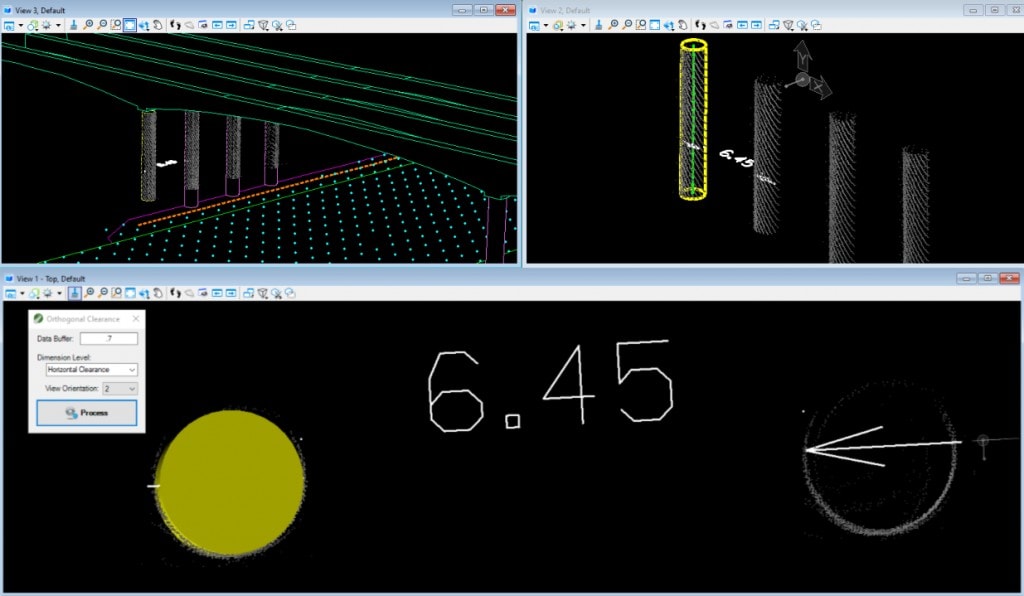
On the data analysis updates front, we’d like to feature the “Orthogonal Clearance” tool. This tool can be used to collect shortest horizontal dimension to a vertical line or cylinder in any direction. It can be very useful to measure modeled features to point cloud data.
Much more…
- This release improves support for high resolution monitors/DPI.
- You’ll find that the “Normal” mode for draping functions has been renamed “Average”. The functionality remains the same.
- The Elevation Grid tool now has a “Mesh” preview to evaluate results before running the tool.
- The “Joint Break Lines by Level” tool to create corners on break lines now has the option to also join lines into a continuous element at the same time.
Youcan access a full changelog within the setup or by visiting TopoDOT University.
All changes mentioned above are only available in the 64-bit version. Unfortunately MicroStation V8i is a 32-bit application and limits the development of the tools mentioned here. Please consider upgrading when possible.
TopoDOT software can help your organization transform point cloud data into detailed CAD models. Sign up for a free demo and see how TopoDOT can help your organization make the most of point cloud data.
Please reach out to us if you have any questions. Also join our quarterly newsletter and watch all the release webinars here.


.png)